










How to Grow a WiFi Hotspot Business From 10 Users to 100+ Users
Learn how to grow a WiFi hotspot business from a few customers to 100+ users through better coverage, packages, agents, support, and network management.


How to Grow a WiFi Hotspot Business From 10 Users to 100+ Users
Growing a WiFi hotspot business from 10 users to 100+ users is possible, but it requires proper planning. You cannot grow by only adding more customers. You must improve coverage, bandwidth control, customer support, pricing, equipment, and voucher sales.
At 10 users, a simple setup may work. But when you reach 50, 100, or more users, small problems become bigger. Weak signal, slow internet, poor support, and bad pricing can stop your growth.
In this guide, we shall explain how to grow a WiFi hotspot business properly.
1. Make Sure Your First Location Is Stable
Before expanding, make sure your current location is working well.
Check:
- Are customers happy?
- Is the internet stable?
- Are vouchers working?
- Is the captive portal clear?
- Are complaints low?
- Is your daily income improving?
- Is the signal strong enough?
Do not expand a weak setup. Fix the first location before adding more users.
A stable foundation makes growth easier.
2. Improve WiFi Coverage
To grow from 10 users to 100+ users, coverage must improve.
Weak signal can make customers think your internet is bad.
Improve coverage by:
- Mounting access points higher
- Using outdoor access points
- Reducing obstacles
- Adding more access points
- Using proper cabling
- Placing APs near customers
- Avoiding poor-quality routers as access points
Good coverage helps customers connect easily and reduces complaints.
3. Upgrade Internet Speed When Needed
As users increase, your internet speed may need upgrading.
Example guide:
| Active Users | Suggested Speed |
|---|---|
| 10–20 users | 20–50 Mbps |
| 20–50 users | 50–100 Mbps |
| 50–100 users | 100–200 Mbps |
| 100+ users | 200 Mbps or more |
This depends on usage. If many users watch YouTube and TikTok, you may need more bandwidth.
Upgrade only when needed, but do not wait until customers start leaving.
4. Use Bandwidth Control
Bandwidth control is very important when many users are online.
Without control, heavy users can slow down the network for everyone.
Use speed limits based on package.
| Package | Speed |
|---|---|
| 2 Hours | 5 Mbps |
| 24 Hours | 7 Mbps |
| Weekly | 10 Mbps |
| Monthly | 15 Mbps |
You can also create higher-speed premium packages for customers who want better performance.
Bandwidth control keeps the network fair.
5. Add More Access Points Carefully
Adding more access points can improve coverage, but it must be done carefully.
Do not place too many access points too close together because they may interfere with each other.
Plan:
- Where customers are located
- Where signal is weak
- Which areas need outdoor coverage
- Cable routes
- Power availability
- Mounting points
Good AP placement improves user experience.
Bad AP placement creates interference and complaints.
6. Create Better Packages
As your business grows, improve your packages.
You can keep simple packages and add special ones.
| Package | Price | Target Customer |
|---|---|---|
| 2 Hours | UGX 500 | Quick users |
| 24 Hours | UGX 1,000 | Daily users |
| 3 Days | UGX 3,500 | Short-term users |
| 1 Week | UGX 6,000 | Regular users |
| 1 Month | UGX 25,000 | Loyal users |
| Family Pack | UGX 10,000+ | Multiple devices |
| Group Pack | UGX 15,000+ | Shared users |
Better packages help you serve different customer needs.
7. Use Agents to Sell More Vouchers
When your customer base grows, you may not be available to sell vouchers all the time.
Agents can help.
Good agents include:
- Shop owners
- Mobile money agents
- Salon owners
- Student leaders
- Area representatives
- Building caretakers
Agents help customers buy vouchers quickly.
Give them commission but make sure you still remain profitable.
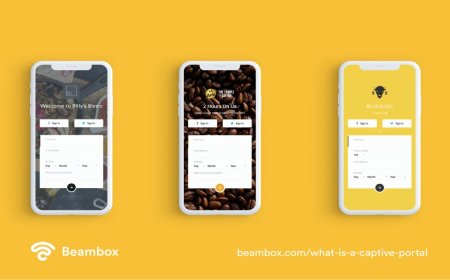
8. Improve Your Captive Portal
Your captive portal should grow with your business.
A good portal should include:
- Packages
- Payment instructions
- Voucher login box
- WhatsApp support
- Help pages
- Trial access
- Promotions
- Redirect after login
When customers can understand the portal easily, they are more likely to buy without calling you.
A good captive portal can increase sales.
9. Add Customer Support System
At 10 users, you can support customers manually. At 100+ users, support becomes more serious.
You need:
- WhatsApp support number
- Clear support hours
- Help pages
- Common problem guides
- Agent support
- Customer announcements
Common problems include:
- Login page not opening
- Voucher expired
- Weak signal
- Slow internet
- Payment confusion
- Device limit issues
Good support keeps customers loyal.
10. Track Daily Sales and Active Users
Growth should be measured.
Track:
- Daily sales
- Weekly sales
- Monthly income
- Number of active users
- Best-selling packages
- Customer complaints
- Agent performance
- Internet expenses
If you do not track, you may think the business is growing when profit is not increasing.
Numbers help you make better decisions.
11. Promote Bigger Packages
Small packages bring daily customers, but bigger packages bring better cash flow.
Promote:
- Weekly packages
- Monthly packages
- Family packages
- Group packages
Example message:
Best Value: 1 Week for UGX 6,000. Save more compared to buying daily.
This can encourage customers to spend more.
12. Keep Network Equipment Secure
As your business grows, your equipment becomes more valuable.
Protect:
- MikroTik router
- Access points
- Switches
- Power adapters
- Cables
- Mounting poles
Also protect your MikroTik login details.
Change default passwords and avoid giving router access to many people.
Security protects your business.
13. Prepare for Power Problems
A growing WiFi business needs stable power.
If your WiFi goes off often, customers may stop trusting it.
Use:
- UPS
- Battery backup
- Solar backup
- Inverter
- Surge protection
Power backup helps you stay online during outages.
14. Expand Area by Area
Do not expand everywhere at once.
Expand in stages.
Example:
- Cover one rental block.
- Add the next block.
- Add nearby shops.
- Add another access point.
- Add agents.
- Increase internet speed.
- Improve support.
This makes growth controlled and manageable.
15. Conclusion
Growing a WiFi hotspot business from 10 users to 100+ users requires planning, not rushing.
You need better coverage, stable internet, bandwidth control, good packages, agents, support, and sales tracking.
Start by making your first location stable. Then expand slowly, improve equipment, and listen to customers.
A WiFi business can grow into a strong daily income source when it is managed professionally.
What's Your Reaction?
 Like
0
Like
0
 Dislike
0
Dislike
0
 Love
0
Love
0
 Funny
0
Funny
0
 Angry
0
Angry
0
 Sad
0
Sad
0
 Wow
0
Wow
0