








WiFi Business Mistakes Beginners Should Avoid
Avoid common WiFi business mistakes such as poor location, weak routers, bad pricing, no speed limits, poor support, and insecure MikroTik setup.


WiFi Business Mistakes Beginners Should Avoid
Starting a WiFi business can be a good opportunity, but many beginners make mistakes that reduce profit, frustrate customers, and slow down growth. Some mistakes happen because people rush to install equipment before studying the area. Others happen because they do not understand network management, pricing, or customer support.
A WiFi business is not only about sharing internet. It requires planning, control, good equipment, clear pricing, and reliable support.
In this guide, we shall discuss the common WiFi business mistakes beginners should avoid.
1. Choosing a Bad Location
Location is one of the biggest factors in a WiFi business. A bad location can make the business fail even if your internet is good.
Avoid locations where:
- Houses are far apart
- Few people use smartphones
- Many people already have private WiFi
- Customers cannot afford packages
- Mobile data is already very strong and cheap
- There is no good place to mount access points
Choose areas with many potential customers living close together.
Good locations include rentals, hostels, apartments, trading centers, and villages with poor mobile data.
2. Starting Too Big Too Early
Some beginners buy too much equipment before testing the market. This can be risky.
Do not start by trying to cover a whole village if you have not tested customer demand.
Start small first. Test:
- Number of customers
- Package demand
- Signal coverage
- Customer complaints
- Daily sales
If the area responds well, then expand.
Starting small reduces risk.
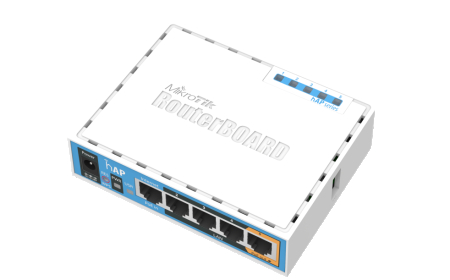
3. Using Weak Access Points
A weak access point can damage your business. Customers may complain even when the internet itself is fast.
Weak WiFi signal causes:
- Slow browsing
- Disconnections
- Login page problems
- Poor coverage
- Customer complaints
Use access points that match your area.
For indoor areas, indoor APs can work. For outdoor coverage, use outdoor access points with good range and weather protection.
4. Not Setting Speed Limits
Speed limits are very important in hotspot business.
If you allow every user to use unlimited speed, a few heavy users can consume all bandwidth.
This makes the internet slow for everyone.
Example speed plan:
| Package | Speed |
|---|---|
| 2 Hours | 5 Mbps |
| 24 Hours | 7 Mbps |
| 1 Week | 10 Mbps |
| 1 Month | 15 Mbps |
Speed limits help you control usage and keep the network stable.
5. Poor Pricing
Bad pricing can hurt your business.
If your prices are too high, customers may not buy. If they are too low, you may get many users but little profit.
Before setting prices, calculate:
- Internet cost
- Power cost
- Equipment cost
- Agent commission
- Maintenance
- Your profit target
Your pricing should be affordable but profitable.
Do not copy another person’s pricing without understanding your own costs.
6. Not Controlling Device Sharing
Some customers may buy one voucher and share it with many devices. This can reduce your profit and overload your network.
Use device limits.
| Package | Device Limit |
|---|---|
| 2 Hours | 1 Device |
| 24 Hours | 1 Device |
| Weekly | 1 Device |
| Family Pack | 2 Devices |
| Group Pack | 3 Devices |
If customers want multiple devices, create a special package for that.
7. Poor Customer Support
Customer support is very important.
Customers may need help with:
- Login page not opening
- Voucher not working
- Weak signal
- Payment issues
- Expired codes
- Device connection problems
If you ignore customers, they will stop buying.
Add support options on your captive portal, such as WhatsApp and call buttons.
Fast support builds trust.
8. No Backup Power
Power cuts can affect your WiFi business. If your network goes off often, customers may lose trust.
Consider using:
- UPS
- Battery backup
- Solar backup
- Inverter
- Power bank router backup
Even a small backup can keep your router and access point online during short outages.
Reliable service brings repeat customers.
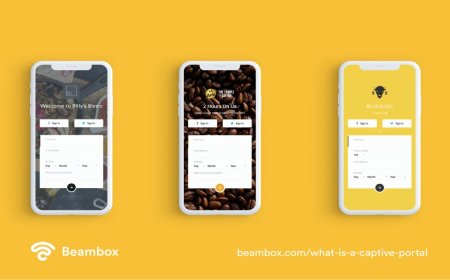
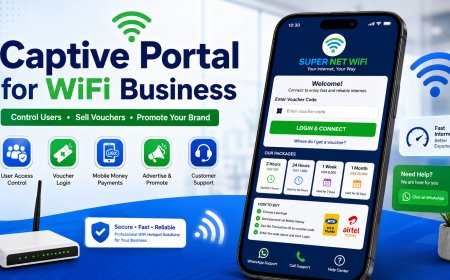
9. Using a Confusing Captive Portal
Your captive portal should be simple and clear.
Avoid:
- Small login forms
- Hidden package prices
- Unclear payment instructions
- Too many colors
- Heavy images
- Text that is too small
- No support button
A good captive portal should show:
- Business name
- Packages
- Payment instructions
- Voucher login box
- Support contact
A clear portal helps customers buy and login easily.
10. Not Tracking Sales
Some beginners sell vouchers but do not track sales properly. This can lead to losses.
Track:
- Daily sales
- Package sold
- Agent sales
- Mobile money payments
- Expenses
- Customer complaints
Tracking helps you know if the business is growing or losing money.
It also helps you make better decisions.
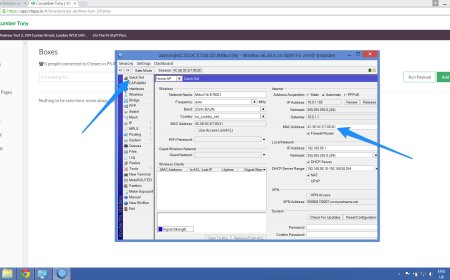
11. Poor MikroTik Security
Do not leave your MikroTik router with default login details.
Change:
- Admin username
- Admin password
- Unused services
- Remote access settings
Use strong passwords.
If someone accesses your router, they can change settings, create users, or disconnect customers.
Security is very important.
12. No Marketing
Do not assume customers will automatically find your WiFi.
Promote your service using:
- Posters
- WhatsApp groups
- Local agents
- Word of mouth
- Free trials
- Launch offers
- Referral bonuses
Marketing helps people know your WiFi exists.
Even a good service needs promotion.
13. Ignoring Customer Feedback
Customers can help you improve your business.
Listen when they complain about:
- Weak signal
- Slow speeds
- Expensive packages
- Hard payment process
- Login problems
Not every complaint is correct, but many complaints can show you where to improve.
A business that listens to customers grows faster.
14. Expanding Without Network Planning
Expansion is good, but it should be planned.
Do not just add access points without thinking about bandwidth, power, backhaul, and user load.
Before expanding, ask:
- Is my internet speed enough?
- Can my router handle more users?
- Is coverage strong?
- Do I need more access points?
- Do I need better bandwidth control?
- Will support become harder?
Growing without planning can make the network unstable.
15. Conclusion
Many WiFi business mistakes can be avoided with good planning. Beginners should avoid bad locations, weak equipment, poor pricing, no speed limits, poor support, and insecure router settings.
Start small, test the market, control users, support customers, and track your sales.
A WiFi business can grow well when it is managed professionally from the beginning.
What's Your Reaction?
 Like
0
Like
0
 Dislike
0
Dislike
0
 Love
0
Love
0
 Funny
0
Funny
0
 Angry
0
Angry
0
 Sad
0
Sad
0
 Wow
0
Wow
0