



What Is a Captive Portal and Why Every WiFi Hotspot Business Needs One
Learn what a captive portal is, how it works in a WiFi hotspot business, and why it helps with vouchers, payments, branding, customer support, and advertising.

What Is a Captive Portal and Why Every WiFi Hotspot Business Needs One
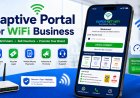
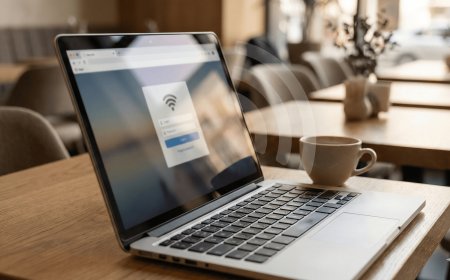
If you run a WiFi hotspot business, one of the most important things your customers will see is the captive portal. A captive portal is the login page that appears when a customer connects to your WiFi before they can access the internet.
Many people think a captive portal is just a simple login page, but in a serious WiFi business, it is much more than that. It can help you control users, sell vouchers, show packages, receive payments, promote your brand, support customers, and even advertise other services.
In this guide, we shall explain what a captive portal is, how it works, why it is important, and how you can use it to grow your WiFi hotspot business.
1. What Is a Captive Portal?
A captive portal is a web page that appears when someone connects to a WiFi network. Before the customer can browse the internet, they must first pass through this page.
On a WiFi hotspot business network, the captive portal usually asks the user to enter a voucher code, username, password, or payment confirmation code. After the correct details are entered, the user is allowed to access the internet.
For example, when a customer connects to your WiFi, they may see a page that says:
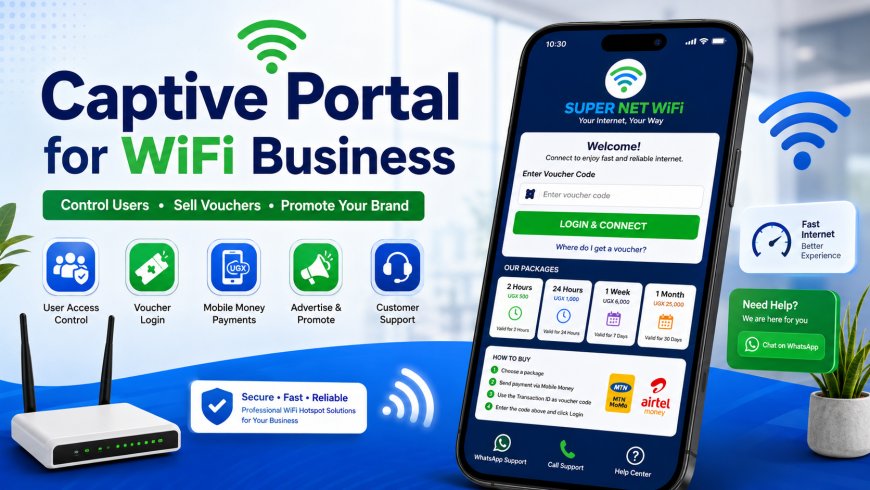
Welcome to SUPER NET WiFi.
Enter your voucher code to access the internet.
That page is called a captive portal.
2. How a Captive Portal Works
The captive portal works between the customer and the internet. When a customer connects to your WiFi, their phone or laptop first connects to your router. However, the router does not allow full internet access immediately.
Instead, the router redirects the customer to the login page. The customer must enter a valid code or complete the required action before they can browse.
The process works like this:
- The customer connects to your WiFi name.
- The phone detects that login is required.
- The captive portal login page opens.
- The customer enters a voucher code or payment code.
- The router checks if the code is valid.
- If the code is correct, internet access is allowed.
- If the code is wrong or expired, access is denied.
This system helps you make sure only paying customers can use your internet.
3. Why a Captive Portal Is Important for WiFi Business
A captive portal is important because it gives you control. Without it, anyone with your WiFi password can connect and use your internet without paying.
In a voucher-based hotspot business, the captive portal becomes your digital reception desk. It welcomes customers, shows them your packages, explains how to pay, and gives them a place to login.
A good captive portal can help you:
- Control who uses your WiFi
- Sell internet using vouchers
- Display your package prices
- Show payment instructions
- Promote your business brand
- Reduce customer confusion
- Provide support information
- Redirect users after login
- Advertise products or websites
This is why every serious WiFi hotspot business should have a clear and professional captive portal.
4. Captive Portal vs Normal WiFi Password
Some people run WiFi by simply giving customers the WiFi password. This can work for home use, but it is not good for a hotspot business.
When you use only a normal WiFi password, customers can share it with others. One person can pay, then give the password to many people. This can make your internet slow and reduce your income.
A captive portal is better because each customer uses a unique voucher or login code.
| Normal WiFi Password | Captive Portal |
|---|---|
| One password can be shared easily | Each customer can use a unique voucher |
| Difficult to control users | Easy to control users and packages |
| No package display | Can show prices and offers |
| No automatic expiry | Vouchers can expire automatically |
| Not professional for business | Looks professional and branded |
If you want to sell WiFi professionally, a captive portal is the better option.
5. What Should Be on a Good Captive Portal?
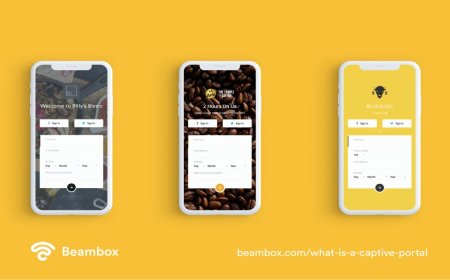
A good captive portal should be simple, clear, and easy to use. Customers should not struggle to understand what to do.
Your captive portal should include:
- Your WiFi business name
- Your logo
- Available packages
- Voucher code input box
- Login button
- Payment instructions
- Support phone number
- WhatsApp contact button
- Terms or fair usage notice
- Help links for common problems
The goal is to make the customer understand everything quickly.
6. Example Captive Portal Message
Your captive portal should explain what the customer needs to do. A simple message can reduce many support calls.
Welcome to SUPER NET WiFi.
Your voucher code is the Transaction ID in the payment message you received.
Enter that code and click Login to access the internet.
This message is useful when customers pay through mobile money and use the transaction ID as the voucher code.
7. Showing Packages on the Captive Portal
Your packages should be visible on the captive portal. If customers can see the prices immediately, it becomes easier for them to choose and buy.
Example package display:
| Package | Price | Best For |
|---|---|---|
| 2 Hours | UGX 500 | Quick browsing |
| 24 Hours | UGX 1,000 | Daily internet use |
| 1 Week | UGX 6,000 | Regular users |
| 1 Month | UGX 25,000 | Heavy users |
You can also mark one package as “Most Popular” or “Best Value” to encourage customers to buy bigger packages.
8. Payment Instructions on the Captive Portal
Many customers may not know how to buy a voucher. That is why your captive portal should clearly show payment instructions.
Example:
How to Buy WiFi:
1. Choose your package.
2. Send payment to 07XXXXXXXX.
3. Use the transaction ID as your voucher code.
4. Enter the code and click Login.
Clear payment instructions make your business look organized and reduce confusion.
9. Branding Your Captive Portal
Your captive portal should not look plain or unfinished. It should represent your brand.
A branded captive portal helps customers remember your WiFi business. It also creates trust because customers feel they are dealing with a serious service.
Branding can include:
- Logo
- Brand colors
- Business name
- Slogan
- Professional package cards
- Customer support buttons
- Footer with company name
For example:
SUPER NET WiFi
Your Internet, Your Community, Your Way.
10. Captive Portal and Customer Support
A good captive portal should help customers solve simple problems by themselves.
You can add support buttons such as:
- Call Support
- WhatsApp Support
- How to Connect on TV
- How to Fix iPhone Login Page
- Forgot Voucher Code?
This is very helpful because hotspot customers often face small issues. If your captive portal gives them guidance, they may not need to call you every time.
11. Captive Portal for Advertising
A captive portal can also be used for advertising. Since every customer sees the login page before using the internet, it is a powerful place to promote offers.
You can advertise:
- Your WiFi packages
- Your WhatsApp group
- Your website
- Local businesses
- Special offers
- New services
- Community announcements
For example, after a customer logs in, you can redirect them to your website, WhatsApp group, or special offer page.
This can help increase website visits and promote other services connected to your business.
12. Redirecting Customers After Login
Many hotspot owners use captive portals to redirect users after successful login. This means after the customer enters a valid voucher, they are taken to a specific page.
You can redirect users to:
- Your website
- A thank-you page
- A WhatsApp group page
- A promotion page
- A customer guide page
- A page showing new packages
This is useful because it allows you to communicate with customers even after they have logged in.
13. Captive Portal and Mobile Money Payments
In many hotspot businesses, customers pay through mobile money. The captive portal can help explain how the payment connects to the login process.
For example, if the transaction ID is used as the voucher code, your portal should clearly tell users where to find it.
After paying, check your mobile money message.
Find the Transaction ID.
Enter that Transaction ID as your voucher code.
This makes the payment and login process easier for customers.
14. Captive Portal and MikroTik
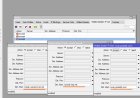
MikroTik routers are commonly used for captive portals in hotspot businesses. MikroTik allows you to create a hotspot server, upload a custom login page, create users, set speed limits, and control access.
With MikroTik, you can create different user profiles for different packages.
| Profile | Time | Speed |
|---|---|---|
| 2HOURS | 2 hours | 5 Mbps |
| 24HOURS | 24 hours | 7 Mbps |
| WEEKLY | 7 days | 10 Mbps |
| MONTHLY | 30 days | 15 Mbps |
This means each voucher can follow the package rules you have created.
15. Common Captive Portal Problems
Sometimes customers may face problems with the captive portal. These problems are common and can usually be fixed with proper setup.
Login Page Not Opening Automatically
Sometimes the phone connects to WiFi but does not open the login page. In this case, the customer can open a browser and visit any website or direct login address.
Voucher Code Not Working
This can happen if the code is wrong, expired, already used, or not created in the system.
Connected but No Internet
This can be caused by ISP problems, DNS issues, wrong hotspot settings, or router misconfiguration.
Page Looks Bad on Phone
Your captive portal must be mobile-friendly because most customers use phones. The page should fit well on small screens.
16. Tips for a Better Captive Portal
A good captive portal should be fast, simple, and attractive.
Use these tips:
- Make the login box easy to find
- Use clear package cards
- Add a WhatsApp support button
- Use simple words customers understand
- Make the page mobile-friendly
- Keep images optimized so the page loads fast
- Show payment instructions clearly
- Use your brand colors
- Avoid too much unnecessary text
- Test the page on different phones
A simple and clear captive portal performs better than a complicated one.
17. Example Captive Portal Layout
A good captive portal can follow this structure:
- Logo and business name at the top
- Short welcome message
- Package cards
- Voucher code input box
- Login button
- Payment instructions
- Support buttons
- Footer with brand details
This layout is easy for customers to understand and easy for you to manage.
18. Mistakes to Avoid
Many hotspot owners make mistakes when creating their captive portal.
Avoid these mistakes:
- Using a confusing login page
- Not showing package prices
- Hiding payment instructions
- Using small text that customers cannot read
- Adding too many heavy images
- Forgetting to add support contact
- Not testing the page on phones
- Using colors that make text hard to read
- Not explaining where customers get voucher codes
Your captive portal should make buying and logging in easier, not harder.
19. How a Captive Portal Can Increase Sales
A captive portal can increase sales because it shows customers your packages every time they connect. Even if the customer only planned to use free WiFi, seeing affordable packages can encourage them to buy.
You can use messages like:
Enjoy fast internet today.
24 Hours for only UGX 1,000.
You can also promote bigger packages:
Best Value: 1 Week for UGX 6,000.
Save more compared to buying daily.
These small messages can help customers choose better packages and increase your revenue.
20. Conclusion
A captive portal is one of the most important tools in a WiFi hotspot business. It controls access, displays packages, explains payments, supports customers, and promotes your brand.
Without a captive portal, it becomes difficult to manage users and protect your internet from free access. With a good captive portal, your business looks professional and customers can easily buy and login.
If you are starting or growing a WiFi hotspot business, invest time in creating a clean, mobile-friendly, and well-branded captive portal.
A good captive portal does not only connect customers to the internet. It also helps your WiFi business sell better, support users better, and grow faster.
Need More Captive Portal Guides?
Visit Finjora.com for more guides about MikroTik setup, WiFi hotspot business, voucher systems, payment integration, and captive portal design.
What's Your Reaction?
 Like
0
Like
0
 Dislike
0
Dislike
0
 Love
0
Love
0
 Funny
0
Funny
0
 Angry
0
Angry
0
 Sad
0
Sad
0
 Wow
0
Wow
0